
It's easy to connect — all you have to do is copy your API key from BOLD and paste it into Recart. Here's how:
In Bold Subscriptions
- Log in to your Bold Subscriptions account
- Expand the left-hand menu and select API access tokens
- Select Create API access token
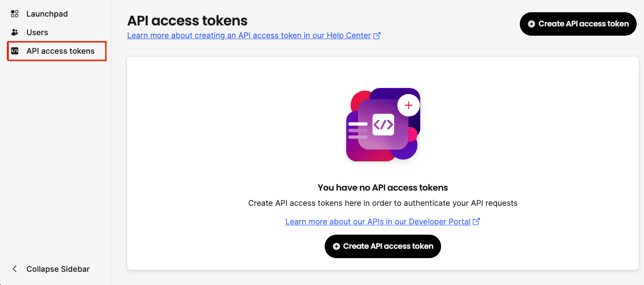
- Enter the API access token name and select the scopes you need
- Select Create. Important Note: This API access token will disappear once the dialogue box closes. Copy your API Token and save it in a secure place
- In the left-hand menu, go to Settings
- Go to Customer portal and copy the URL from the Admin customer portal link field — this is your Customer Portal Link. By default it's set to pages/manage-subscriptions
In Recart
- Log in to your Recart account
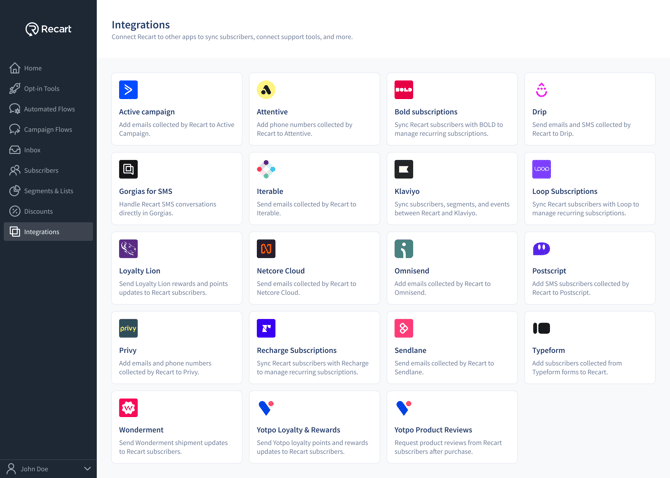
- Go to the Integrations page in Recart
- Find the Bold Subscriptions card and open it
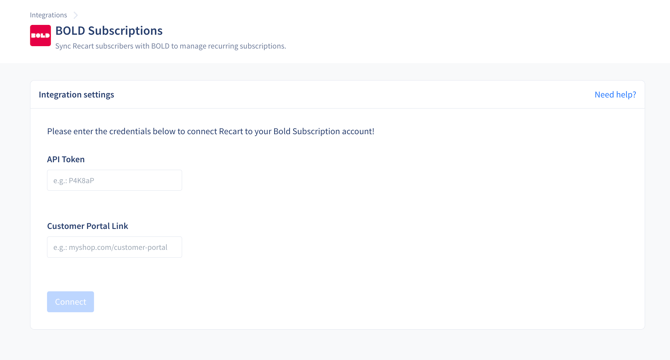
- Paste the API Token and Customer Portal Link and click Connect
- Once the connection is verified, you'll see a success message and the integration will switch to Active
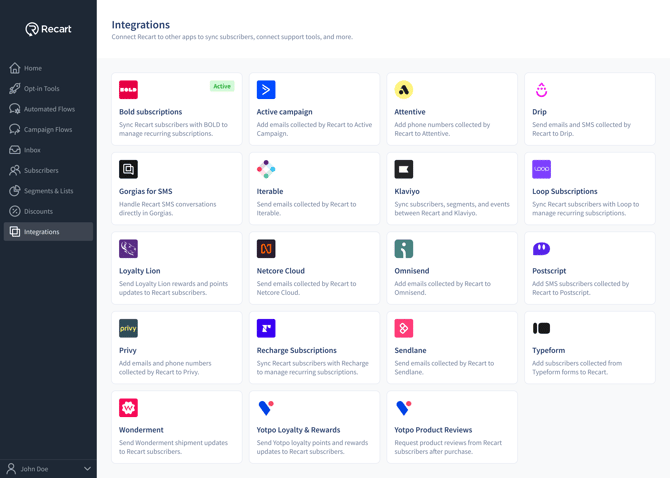
That's it — Bold Subscriptions is now connected to Recart, and your subscribers will sync automatically. 🎉
Need Help?
If you have any questions, do not hesitate to contact the Customer Support team, we are always happy to help. 😊