
What is Iterable?
Iterable is a marketing automation platform that enables personalized communication across email, SMS, and more. By connecting Iterable to Recart, you can automatically sync the email addresses and phone numbers of your subscribers into your selected Iterable list.
How to Connect Iterable to Recart
In Iterable
-
Log into your Iterable account
-
Navigate to Integrations > API Keys
-
Copy the key for use in Recart
In Recart
-
Log in to your Recart account
-
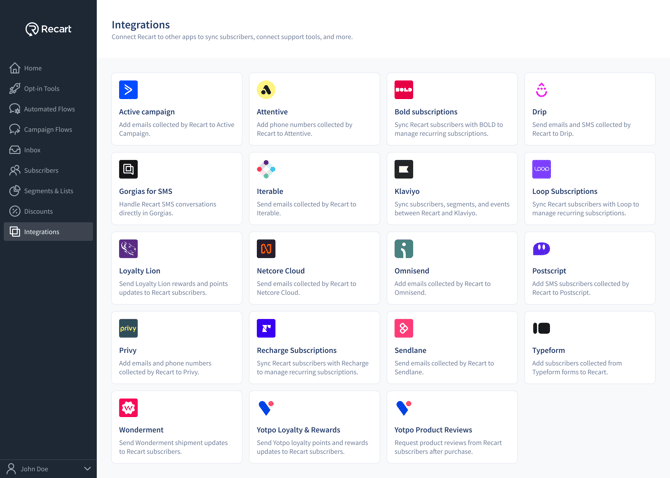
Go to the Integrations page in Recart
-
Find the Iterable card and open it
-
Paste the API key; select the Iterable list you’d like to sync subscribers to - and click Connect
-
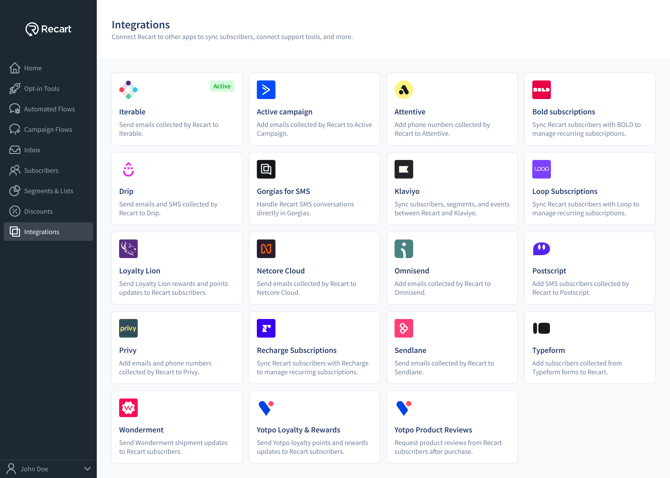
Once the connection is verified, you'll see a success message and the integration will switch to Active
Managing the Integration
Once your integration is set up, you can manage it directly in the Recart dashboard:- Toggle On/Off
-
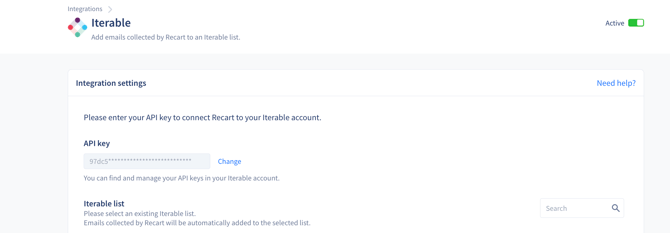
You can enable or disable the integration at any time using the toggle switch in the Iterable section under Integrations
-
- Change the List or API Key
-
-
To change the Iterable list or update your API key, search for the correct list and click Save Changes

-
- Remove the Integration
-
You can also remove the integration completely by scrolling to the bottom of the Iterable integration settings in Recart.
-
Click Remove Integration to disconnect Iterable from your Recart account.
-
Notes:
-
Only new subscribers collected after activating the integration will be sent to Iterable.
-
Make sure your Iterable list is configured to accept both emails and phone numbers.
-
This integration only supports one-way sync from Recart to Iterable.