
In Postscript
-
Log in to your Postscript account
-
Go to Settings > API
-
Click Create API Key
-
Copy the private key — this is required to connect with Recart
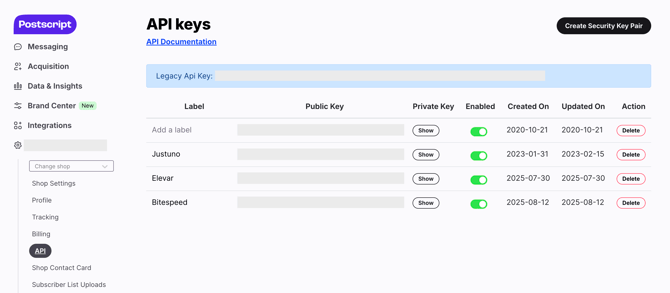
Important: Recart only accepts the private API key. Using the public key will not work.
In Recart
- Log in to your Recart account
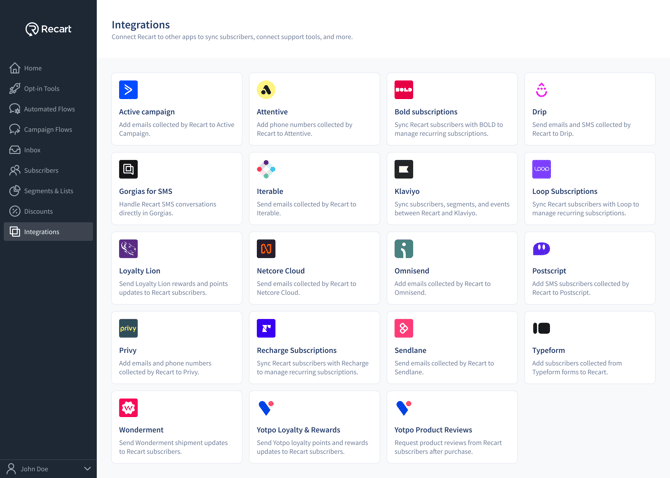
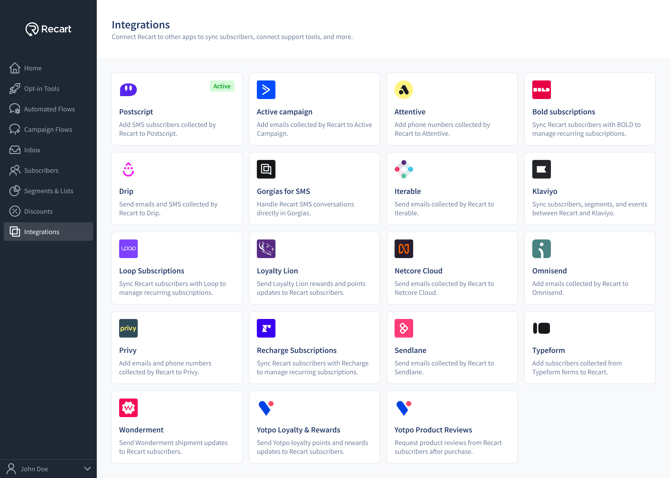
- Go to the Integrations page in Recart
- Find the Postscript card and open it
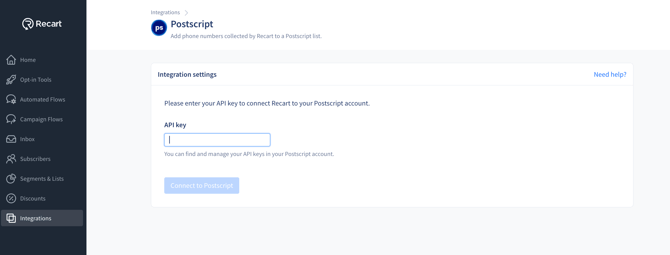
- Paste the API key and click Connect Postscript
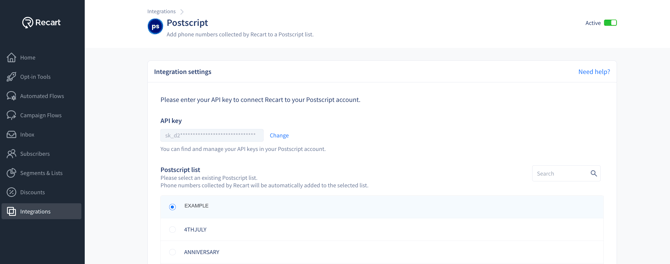
- Once connected, Recart will fetch available keywords from your Postscript account
-
Choose a keyword from the dropdown
- All SMS subscribers collected through Recart popups will be synced to this keyword
- Keywords in Postscript trigger automations like Welcome Series and Flows
-
- Once the connection is verified, you'll see a success message and the integration will switch to Active
Can I Use Multiple Keywords?
Recart currently supports one keyword per account in the UI. If you’d like to sync different popups to different keywords, please contact support@recart.com. This custom setup requires manual configuration by the Recart team.
Need Help?
If you have any questions, do not hesitate to contact the Customer Support team, we are always happy to help. 😊