
With our integration with Recharge you will have access to 12 unique templates that match the scenarios Recharge provides:
- Subscription Started
- Subscription Paused
- Subscription Resumed
- Subscription Canceled
- Subscription Expired
- Upcoming Order
- Order Skipped
- Order Processed
- Charge Will Be Retired
- Charge Failed
- Charge Paid
- Customer Account Activation
These flow templates will be provided by default upon activation and they can be edited and updated at will.
Here are all the steps you need to connect your Recharge account to Recart:
In Recharge
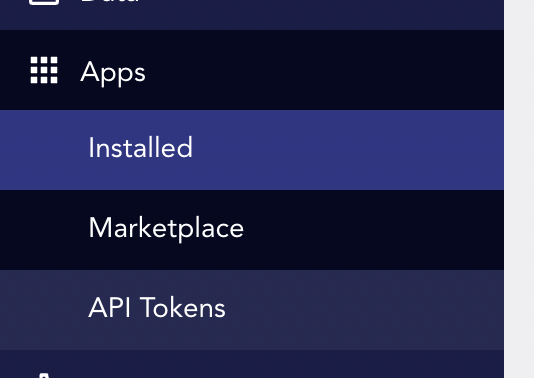
- Go to Installed apps tab in your Recharge account
- Click on Create an Admin API Token
- Grant Read Access to → Orders → Subscriptions → Payments → Customers
In Recart
- Log in to your Recart account
- Go to the Integrations page in Recart
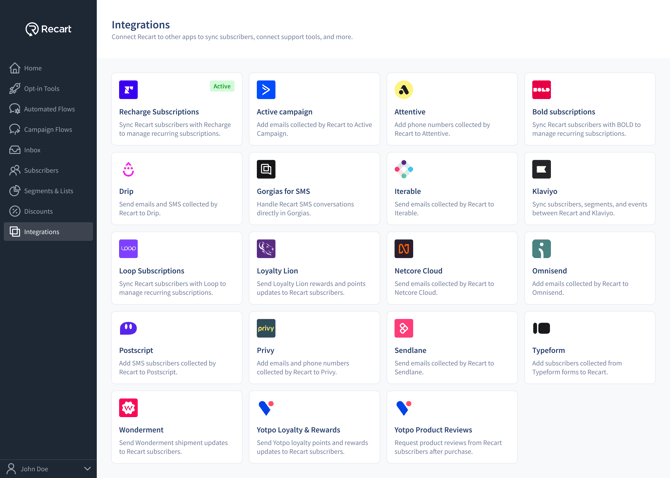
- Find the Recharge card and open it
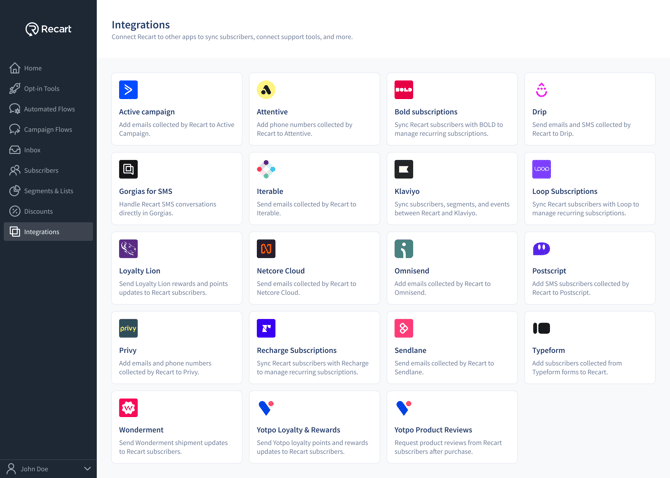
- Paste the API token and click Connect Recharge
- Once the connection is verified, you'll see a success message and the integration will switch to Active
Setup Your Automated Flows
Now you have the opportunity to use the default automated Recharge flows. You can access them with the following easy steps:
- Go to Automated Flows
- Click on Integrations
- Select Recharge
- Select your default flow to view and edit
- Your default SMS message will appear → to edit, click on the SMS message and the editor will appear to the left
- Once completed, click Activate to save and activate your automated flow
Things to Note:
Quiet hours
Quiet hours will be applicable to your Recharge flows so that you do not disturb your subscribers during inconvenient times.
Quiet Hours from 8:00 PM to 9:00 AM. in subscribers’ local time zones to maintain SMS compliance and ensure optimal delivery.
While these settings are fixed by default, we understand some businesses may have specific needs. Please contact our support team at support@recart.com to discuss your requirements.
Note: Additional documentation and approval may be required for any quiet hours modifications.
Read more: Understanding SMS Quit Hours
Flows where Quiet Hours will be activated:
- Order Skipped
- Subscription Expired
- Subscription Resumed
- Upcoming Order
- Order Processed
Segmentation
Recharge based conditions will be displayed in segmentation once the integration is complete. You will now be able to target subscribers who have:
- Received a flow message associated with Recharge
- Have clicked links in a flow message associated with Recharge
API Key Generation
If you are trying to integrate with Recart from the Recharge platform, you can generate an API Key in our App using these instructions.
Need Help?
If you have any questions, do not hesitate to contact the Customer Support team, we are always happy to help. 😊